🤖 Android beta is closed testing. To get access, first join the testers group, then tap Beta above to opt in. Joining can take a few minutes to apply.
Beta builds are early and may change. The official release is the stable one.
What it is
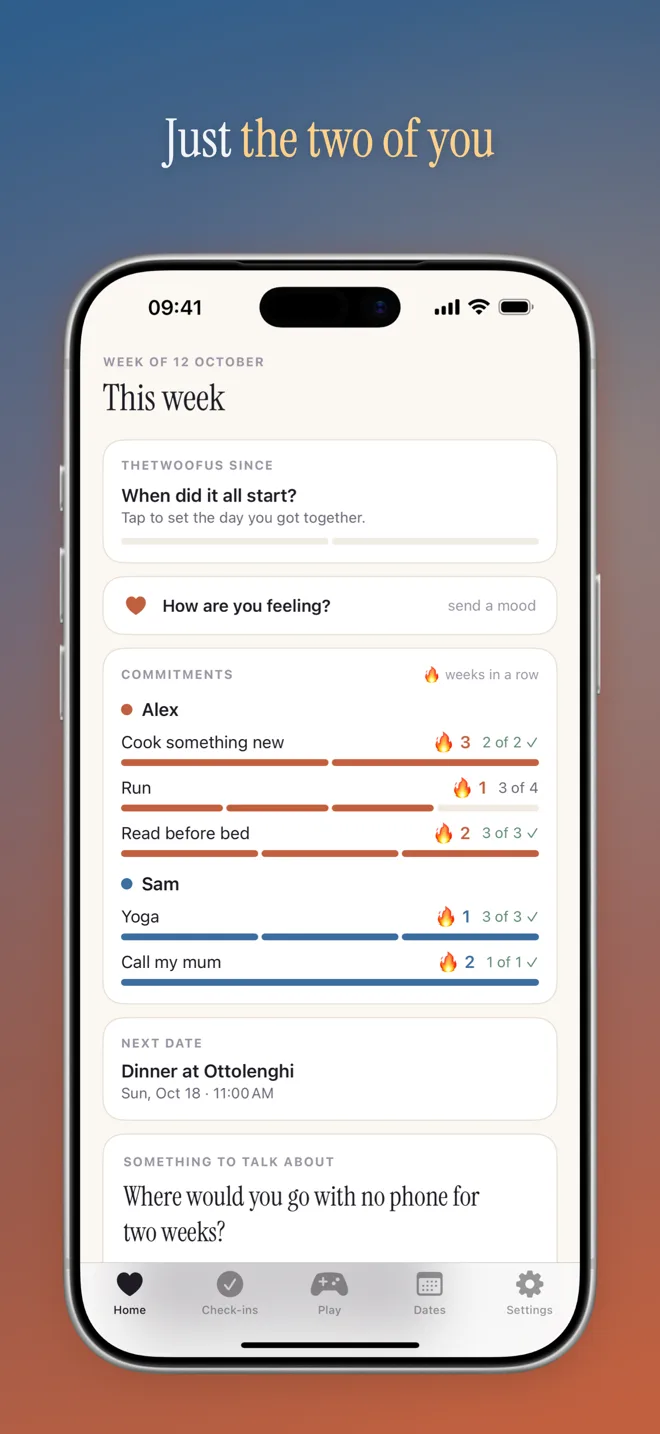
A private space for two: your own weekly commitments, a topic to talk about each week, dates to plan and slow games to play.
Highlights
- Weekly check-ins in one tap, with an optional note and photos
- A new discussion topic every week
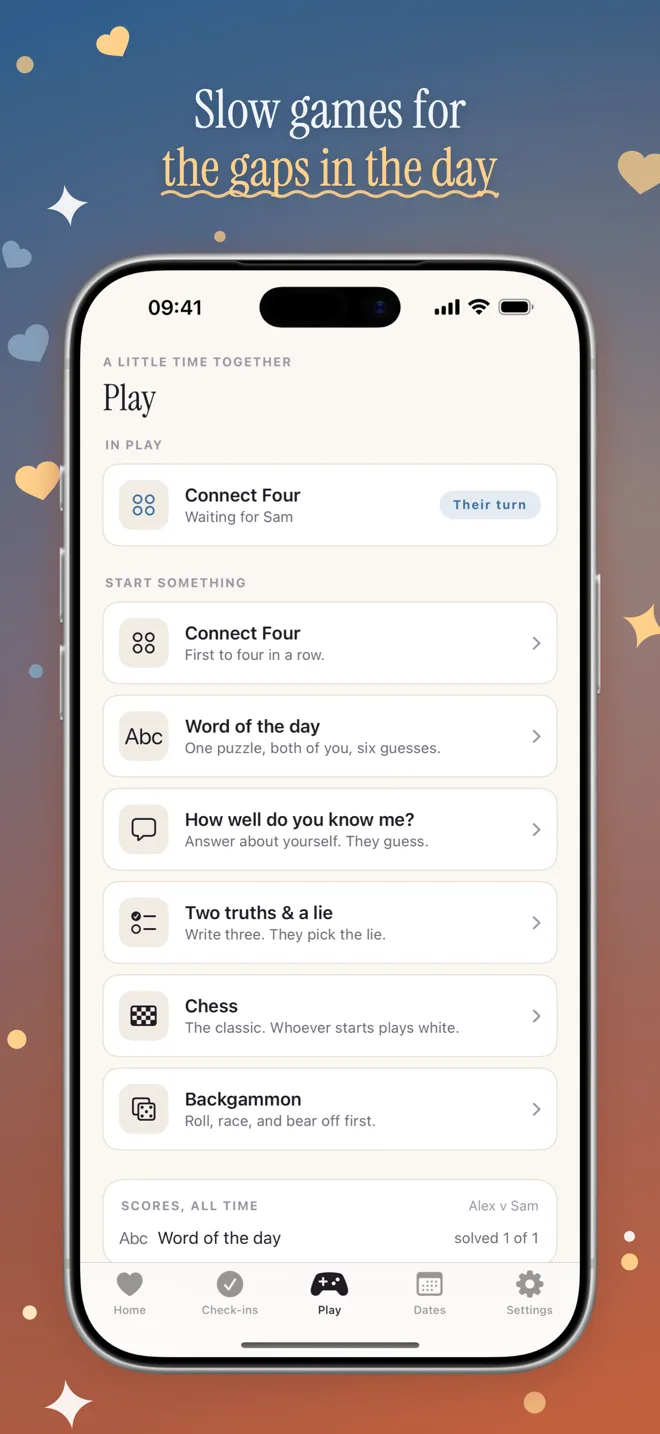
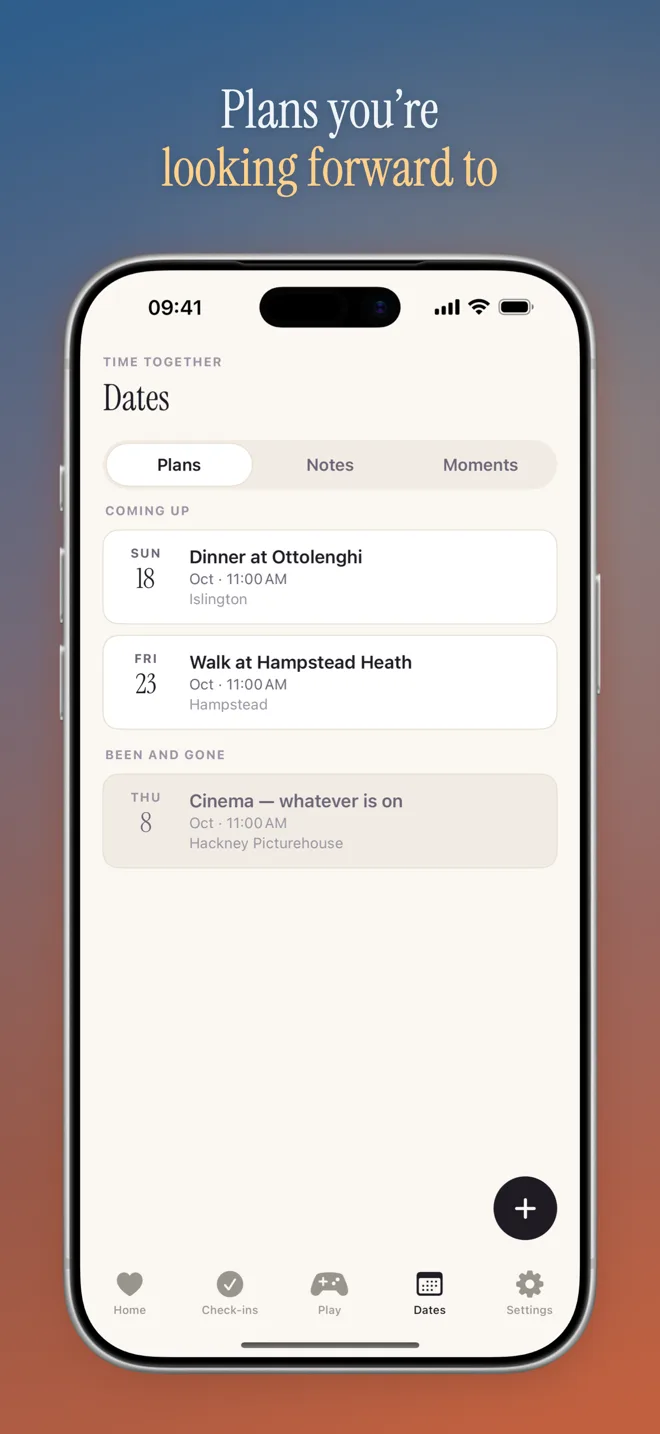
- Plan dates, leave notes and play turn-based games
Your data
Syncs only between your two phones, paired with an invite code. No public profiles, no feeds.
Terms & Conditions
TheTwoOfUs
Effective date: 25 May 2026
These Terms and Conditions (the “Terms”) constitute a legally binding agreement between you (the “User”) and TheDev050 (the “Developer”) governing your access to and use of the TheTwoOfUs application (the “Application”). By downloading, installing, or otherwise using the Application, you acknowledge that you have read, understood, and agree to be bound by these Terms. If you do not agree to these Terms, you must not use the Application.
1. The Application
The Application is a private shared space for two people. Once the two of you are paired using a six-character invite code, you each keep your own weekly commitments and can see how the other is getting on, check in with one tap and an optional note or photo, receive a weekly discussion topic from a bundled bank, plan dates with local reminders, keep a shared list of notes, and play four slow turn-based games (Connect Four, a co-operative word guess, How well do you know me?, and Two Truths & a Lie). The Application is scoped to one couple: there are no groups, no third participant, no feeds, no followers, and nothing you create is shareable outside the two of you. The Application reads from a local database on your device and works offline; changes are synchronised in the background when a connection is available.
2. Data and Privacy
Unlike the Developer’s other applications, TheTwoOfUs is not device-only: it exists to show two people each other’s activity, and that requires a server. Your commitments, check-ins and their notes, dates, shared notes, game state and streaks are transmitted to and stored on infrastructure operated by the Developer so that your partner’s device can receive them. The Application does not require an email address, password, or any third-party sign-in; a device is identified by a token issued when you pair, and a single-use recovery code lets you restore your side of the couple onto a new phone.
Photographs attached to a check-in are treated as a delivery buffer, not an album: a photograph is deleted from the Developer’s storage once your partner’s device has fetched it, and in any case no later than fourteen days after it was attached — which means a partner who does not open the Application within that period will not see it. Structured data is retained for as long as the couple exists. If you delete your data from within the Application, it is hard-deleted after a thirty-day grace period.
Your data is accessible only to the two members of your couple. The Developer does not sell it, does not use it for advertising, does not profile you, and does not share it with third parties. The Application contains no analytics or advertising software. Push notifications, where you enable them, are delivered through Apple’s and Google’s notification services.
Because your partner necessarily sees what you record, you should treat anything you enter as shared with them. You remain responsible for keeping your own backups of anything you would not want to lose.
3. Licence
Subject to your compliance with these Terms, the Developer grants you a personal, limited, non-exclusive, non-transferable, revocable licence to install and use the Application on devices that you own or control, solely for your own lawful purposes. All rights not expressly granted are reserved by the Developer.
4. Acceptable Use
You agree not to copy, modify, reverse engineer, decompile, disassemble, distribute, sublicense, or create derivative works of the Application except to the extent such restriction is prohibited by applicable law. You agree to use the Application only for lawful purposes and in compliance with all applicable laws and regulations.
5. Intellectual Property
The Application, including its software, design, and all associated intellectual property, is and shall remain the exclusive property of the Developer. These Terms do not transfer to you any ownership interest in the Application.
6. Disclaimer of Warranties
The Application is provided “as is” and “as available,” without warranty of any kind, whether express, implied, or statutory, including but not limited to any implied warranties of merchantability, fitness for a particular purpose, and non-infringement. The Developer does not warrant that the Application will be uninterrupted, error-free, or free of harmful components. You use the Application at your own risk and discretion.
7. Limitation of Liability
To the maximum extent permitted by applicable law, the Developer shall not be liable for any indirect, incidental, special, consequential, or punitive damages, or for any loss of data, profits, or goodwill, arising out of or in connection with your use of, or inability to use, the Application.
8. Changes to These Terms
The Developer may revise these Terms from time to time. Continued use of the Application following any such revision constitutes your acceptance of the revised Terms.
9. Contact
For any questions regarding these Terms, please contact the Developer at thedev050@gmail.com.
Deleting your account and data
TheTwoOfUs
TheTwoOfUs has no username, email address or password. A phone is identified by a token issued when you pair, which is why the reliable way to delete everything is from inside the app, on a phone that is still signed in.
From inside the app — the quickest route
Open Settings, tap Delete my data, and confirm. This works identically on iOS and Android.
Sharing stops immediately: the couple is dissolved as soon as you confirm, and neither phone receives anything further. Everything is then permanently deleted after a 30-day grace period, which exists so that an accidental deletion can be reported and reversed before the data is gone.
If you no longer have the app
Email thedev050@gmail.com with the subject Delete my TheTwoOfUs data.
Because the app stores no email address or other contact detail, there is nothing in your account that can be matched to your message. To locate the right couple — and to be sure we are not deleting somebody else’s — we will ask you for something that identifies it, such as your six-character invite code, or the two display names you both used together with roughly when you paired. If a couple cannot be identified from what you can supply, we will not be able to delete it, and reinstalling the app to use the in-app button is then the only route.
What gets deleted
After the grace period, the following is permanently erased from the Developer’s servers:
- Your user record and your partner’s, and the couple itself
- Every commitment, check-in and check-in note
- Shared notes, planned dates, streaks and weekly topic state
- All game state and history
- Any stored check-in photographs
- Push notification registrations for your devices
Deletion covers both members of the couple, because the data is shared rather than individually owned — a check-in exists in order to be seen by the other person, and there is no copy that belongs to only one of you.
What is kept, and for how long
Check-in photographs are not retained even without a deletion request: each is destroyed once your partner’s phone has fetched it, and in any case no later than fourteen days after it was attached.
Short-lived technical records that carry no personal content — identifiers used to avoid applying the same change twice — are discarded after seven days.
Nothing is retained after the 30-day grace period elapses. The Developer keeps no backup copy, no archive, and no analytics profile.
Data on your phone
Deleting your data as above clears the servers. The copy held in the app’s own local database on your phone is removed when you uninstall the app, as with any iOS or Android application.
Questions
Contact the Developer at thedev050@gmail.com.